On September 30, 2026, OpenAI staff found a recording device plugged into a USB port on the back of a television in an executive conference room in San Francisco. It was wrapped in toilet paper. According to the federal criminal complaint, it had been installed on or about September 28. On October 9, 2026, the FBI arrested an engineer who worked at OpenAI. The complaint, unsealed in federal court in the Northern District of California on October 13, 2026, charges him with using or endeavoring to use a device to intercept oral communications. As of that date, the case was at the complaint stage. The charge is an allegation, not a finding.
The obvious question is who placed it. The more useful one for anyone who runs a facility is where: a port on the back of a device nobody looks at.
That port exists in many of the logistics buildings I have walked through. And in many of them, you do not need a badge to reach it.
The difference between a conference room and a visitor window
The person charged at OpenAI was an employee with building access. In the logistics facilities I have walked through, the equivalent port sits on the reception computer, faces the visitor window, and is less than a foot from anyone who walks up with paperwork.
Two configurations come up again and again.
Scenario one: the reception window
Reception and clerk desks in shipping offices usually sit behind a sliding window or glass partition, with a slot underneath for document handoff. The computer at that desk is used to check in drivers, vendors, and guests.
That computer is frequently:
- Within arm's reach of the visitor window, often less than a foot away
- Positioned so the back of the device, with its USB and Ethernet ports, faces the window
- Left unlocked, with no session timeout
Moving the tower under the desk does not solve it. The monitor or all-in-one unit still has USB ports on the back, and they still face the slot. Visitors are rarely asked for verified ID. During off-peak hours, nobody is watching at all.
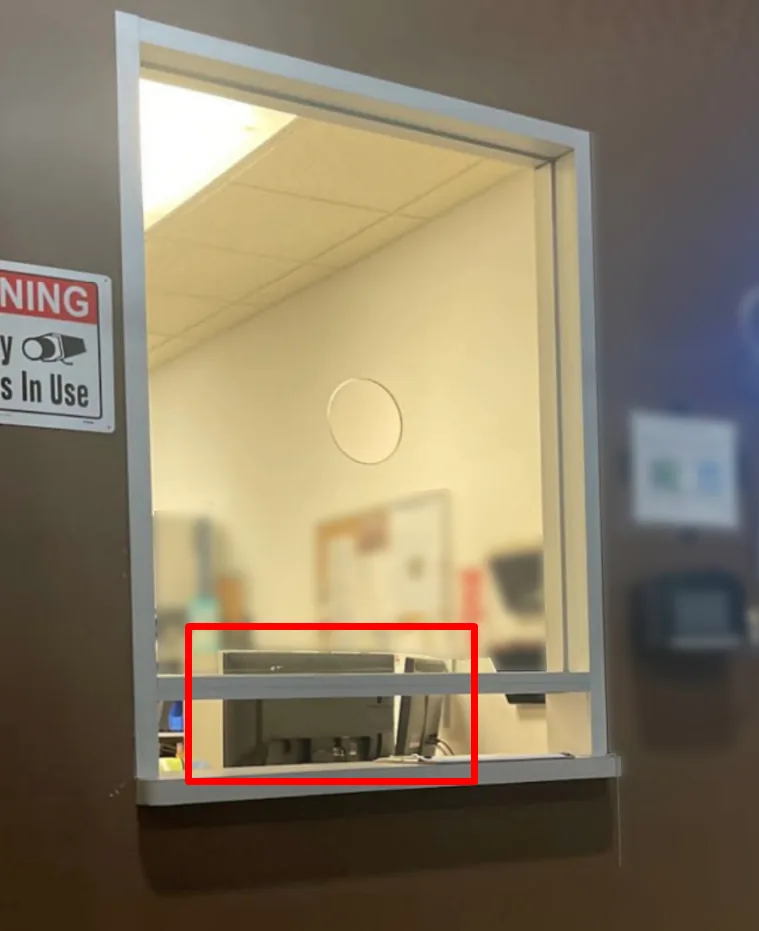
A visitor window at a logistics facility. The boxed area is the back of the reception monitor, facing the window. Identifying details blurred.
How it plays out
A driver walks in with a clipboard. He points the clerk toward a problem at one of the dock doors. It is urgent. She turns to look. He reaches through the window and plugs something into the back of her monitor.
It takes less time than the glance.
Nothing about this requires technical skill. It requires urgency and a pointed finger, which are the same two things most fictitious pickups run on.
Scenario two: the self-check-in kiosk
To reduce contact between staff and visitors, some facilities seal the window entirely and put an all-in-one computer outside the glass for self check-in. It is designed for efficiency. In practice, these kiosks often:
- Run a full, unrestricted desktop operating system
- Have no session timeout or account protection
- Allow access to the browser, system settings, and USB ports
The kiosk removes the need to distract anyone. The device is already on the visitor's side of the glass.
Why a busy floor makes it worse
Logistics runs around the clock on tight windows. The people at the front desk are trained to keep freight moving, and they are good at it. That is the weakness being used. The attack does not defeat the hardware. It borrows the clerk's attention for three seconds while she does exactly what her job asks of her.
What sits behind the front desk computer
The reception machine is rarely isolated. In the facilities I have seen, it is commonly connected to:
- The TMS or a shipment visibility dashboard
- Shared drives holding customer, carrier, and route data
- An internal network with little or no segmentation
Pickup numbers, appointment times, and carrier contacts are exactly what someone needs to show up for a load that is not theirs. A small plug-in device can capture credentials, open a remote connection, or copy files. Hardware that does this is sold openly online for penetration testing, and it installs in seconds.
What usually sits next to it
Where these setups exist, the same walk-through tends to turn up more:
- VoIP phones with live Ethernet ports, placed next to the reception monitor and within reach of the window
- Login credentials on sticky notes, whiteboards, or taped beside the screen
- Public-facing screens showing shipment schedules, driver rosters, or forms
- Network closets visible, and sometimes reachable, from the reception area
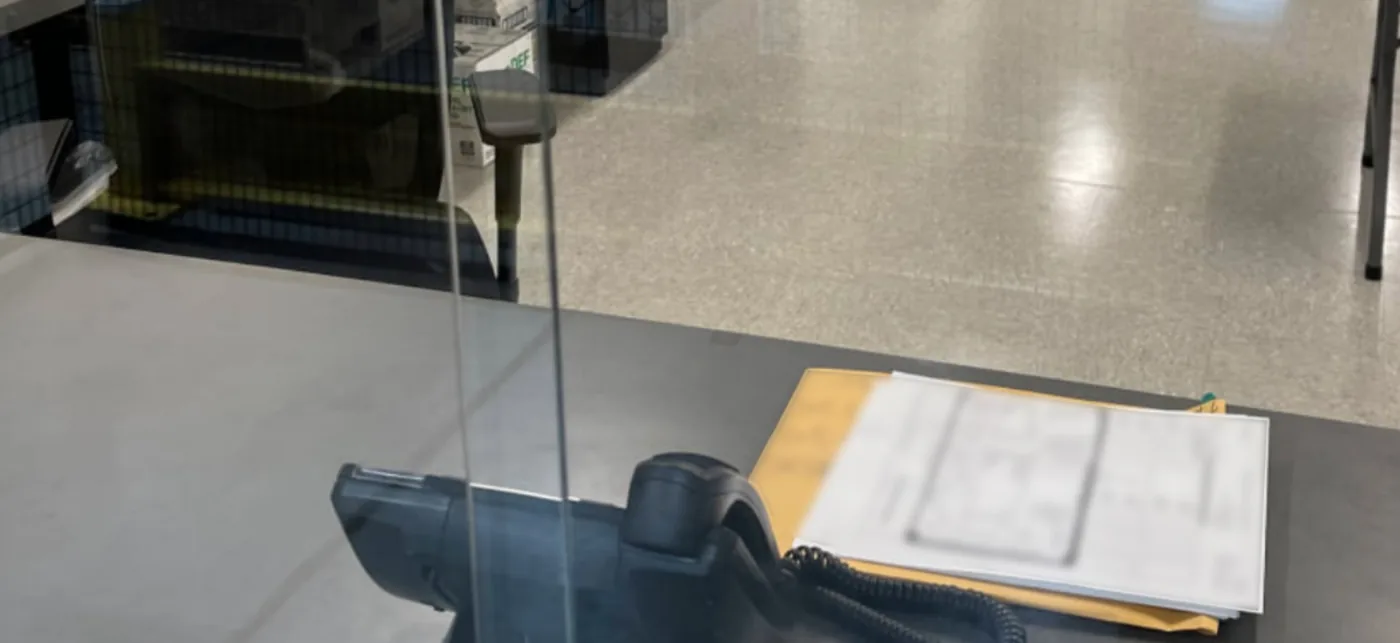
A desk phone and shipping paperwork at a reception counter, photographed from the visitor side of the glass. Document contents blurred.
The principle: the visitor side of the window is outside the building
Zero trust means no user, device, or location is trusted because of where it sits. Most warehouses still run on implicit trust at the front desk: unlocked sessions, open ports, and visitors who are never challenged.
The Zero Trust Freight Security Framework, our methodology adapted from FEMA 426's layered physical-security model, treats this as a perimeter question. The visitor side of the window is outside the perimeter, even though it is inside the building. Anything a visitor can reach should be configured as if it were on the street.
What to check at your own front desk
Walk to your visitor window. Stand where a driver stands. Look at what you can reach.
Then close the gaps:
- Restrict USB ports through endpoint management or physical port blockers
- Run public-facing computers in kiosk mode, locked to the one application they exist for
- Enforce a short auto-lock on every workstation near the window
- Turn the hardware around so ports face the staff side, not the visitor side
- Physically secure VoIP phones and network cables near the window
- Segment the network so a front desk machine cannot reach billing, admin, or the TMS back end
- Keep credentials and operational information out of sight of the visitor side
- Train reception staff to verify visitor identity and to challenge unfamiliar faces
One rule that travels
When someone creates urgency and points you somewhere else, look at their hands, not at what they are pointing at.
It holds at a receiving window, at a gas station pump, and at your own front door.